
You’ve been dreaming about your wedding for months. You’ve chosen the perfect venue, the ideal dress, and a menu that will leave everyone speechless. But there’s one detail keeping you up at night: how many guests will actually show up?
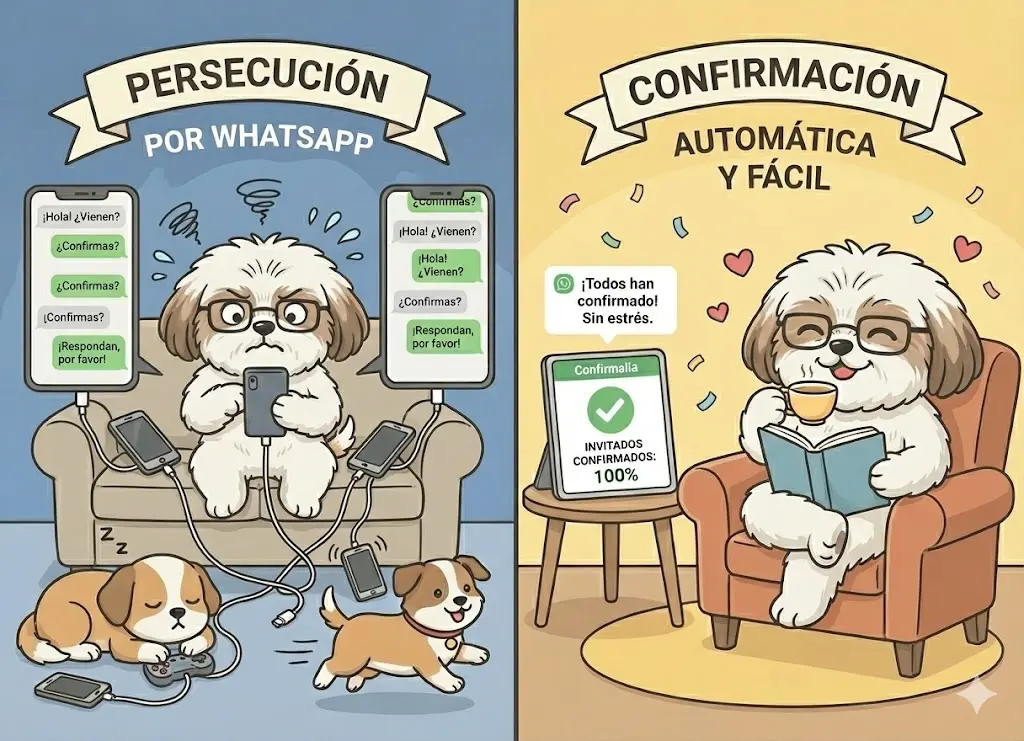
You sent out invitations three weeks ago. Some responded immediately with excitement. But most of them… silence. Now you’re in “confirmation detective” mode: sending follow-up messages, making awkward phone calls, and asking your mom if Aunt Lucy has confirmed yet.
The caterer needs final numbers in two weeks. The stress is building. And worst of all, this process of chasing confirmations is eating up the time you should be enjoying your engagement.
There’s a better way. And it doesn’t require you to become a professional project manager.
The Problem: Modern Weddings vs. Old-School Methods
Weddings have evolved, but many couples still use the same confirmation methods from 20 years ago:
The Traditional (and Exhausting) Method:
- You send physical or digital invitations with your phone number
- You wait for people to respond on their own
- After a week, you start sending follow-up messages one by one
- Some respond, others leave you on read
- You make phone calls to those who didn’t reply
- You write everything down in an Excel spreadsheet that you update manually
- You discover errors and duplicates
- You repeat the process with reminders closer to the date
Result: You spend 20-30 hours managing confirmations when you should be enjoying your engagement.
The Solution: Smart WhatsApp Automation
Imagine this alternative scenario:
- You send personalized invitations via WhatsApp to all your guests with a single click
- Each guest receives a message addressed to their name with all the wedding details
- They confirm by pressing a button directly in WhatsApp (no links, no forms)
- Their response automatically updates your list in real time
- The system automatically asks about dietary restrictions and plus-ones
- Three days before the wedding, an automatic reminder is sent only to confirmed guests
- You just check your dashboard to see the final count
Result: The entire process takes 2 hours of initial setup. The rest is automatic.
This isn’t science fiction. This is exactly what Confirmalia does for you.
Your 5-Step Plan for Stress-Free Confirmations
Step 1: Upload Your Guest List (Just Once)
Forget about manually typing 200 names. With Confirmalia you can:
- Import from Excel: Copy and paste your list following the system’s instructions
- Import from WhatsApp: If you already have the contacts on your phone
- Use AI: Upload a photo of your handwritten list and AI extracts the information
- Add manually: For those last-minute guests
Each guest includes:
- First and last name
- Phone number with country code
- Custom properties: number of assigned seats, table, family group, etc.
Time required: 30-45 minutes (just once)
Step 2: Customize Your Invitation
Confirmalia offers 3 professional templates ready for weddings:
Template 1: With number of seats
“Hi Ana! We’d love for you to join us at our wedding on June 15, 2025 at 6:00 PM at Hacienda Los Laureles. You have 2 reserved seats. Can you make it?”
Template 2: Without number of seats
“Hi Carlos! We want to share the most important day of our lives with you. We’re getting married on June 15, 2025 at 6:00 PM at Hacienda Los Laureles. Will you join us?”
Template 3: Short version
“Hi Maria! You’re invited to our wedding: June 15, 6:00 PM, Hacienda Los Laureles. Can you confirm your attendance?”
All templates include:
- Names of the bride and groom (hosts)
- Exact date and time
- Event location
- Built-in confirmation buttons
Customization: You can edit any field at any time.
Time required: 10-15 minutes
Step 3: Send the Invitations (With One Click)
Here’s where the magic happens. Instead of copying and pasting the same message 200 times:
- Click “Send invitation”
- Select who to send to (you can filter by groups: family, friends, work)
- Press “Send”
- Done
What happens automatically:
- Each guest receives a personalized message with their name
- The message is sent from Confirmalia’s official verified number (not your personal number)
- Guests see a “Confirm attendance” button directly in WhatsApp
- They don’t need to open links or leave the app
Key advantages:
- You don’t risk getting your personal number blocked
- 98% open rate (vs. 20% for email)
- Guests confirm in 10 seconds
Time required: 5 minutes
Step 4: Automatically Collect Logistics Information
After a guest confirms, here comes the second level of automation: Post-confirmation questions.
The system can automatically ask:
Question 1:
“Great, thanks for confirming! To make sure you enjoy the event, do you have any dietary restrictions or allergies?”
Question 2:
“Will you be bringing a plus-one? If so, what’s their name?”
Question 3:
“Will you need transportation from the hotel? We have a shuttle available.”
All responses are automatically saved to the guest’s profile. You see them organized in your dashboard.
Benefits:
- You get all the information the caterer and venue need
- Without having to do a second round of messages
- Without forgetting to ask anyone
- Structured and exportable data
Time required: 0 minutes (it’s automatic)
Step 5: Send Strategic Reminders
The silent enemy of every wedding is the “No-Show”: guests who confirm but don’t show up. The best defense is a strategic reminder.
With Confirmalia you can schedule an automatic reminder to be sent:
- 3 days before the wedding (recommended)
- 1 day before the wedding
- On the wedding day (in the morning)
The reminder is sent only to confirmed guests and can include:
Template with table number:
“Hi Ana! Tomorrow is the big day. We’re expecting you at 6:00 PM at Hacienda Los Laureles. You’ll be at Table 12. See you soon!”
Template without table number:
“Hi Carlos! Tomorrow we’re getting married. We’re expecting you at 6:00 PM at Hacienda Los Laureles. Here’s the map: [link]. Don’t miss it!”
You can attach:
- Location map
- Dress code (PDF)
- Day-of itinerary
- Parking information
Time required: 10 minutes of setup (sent automatically)
The Dashboard: Your Control Center
While all of this happens automatically, you have access to a real-time panel that shows you:
Key Metrics:
- Total guests: 200
- Invitations sent: 200
- Confirmed: 165
- Declined: 15
- Pending: 20
Visualization:
- Confirmations by day chart: See how your response rate evolves
- Recent activity: Who confirmed in the last few hours
- Count by group: How many from “Family,” “Friends,” “Work” have confirmed
Quick Actions:
- Filter by status: View only pending guests to send them a personalized nudge
- Export data: Download your complete list to share with the caterer
- View responses: Review all dietary restrictions in one place
Everything updated in real time. Zero manual work.
Real Case: 250-Guest Wedding
Maria and Jorge were planning their wedding for July. They had 250 guests on their list.
Traditional Method (what they tried first):
- They sent WhatsApp invitations manually over 3 days
- After 2 weeks, only 80 people had responded
- They spent 15 hours sending individual follow-up messages
- They had to make 40 phone calls
- They updated their Excel manually with each response
- They discovered errors and duplicates
- Total time invested: 25 hours
- Final confirmation rate: 70% (175 confirmed)
With Confirmalia (what they did next):
- They uploaded their list in 40 minutes
- They customized the invitation in 15 minutes
- They sent all 250 invitations with one click
- Within 48 hours they had 180 confirmations
- They scheduled an automatic reminder for 3 days before
- The system collected dietary restrictions from everyone
- Total time invested: 2 hours
- Final confirmation rate: 88% (220 confirmed)
Result: They saved 23 hours, increased their confirmation rate by 18%, and completely eliminated the stress of chasing guests.
Mistakes You Should Avoid
Mistake 1: Using Your Personal Number
If you send 200 messages from your personal WhatsApp, you risk getting temporarily blocked. Plus, all responses will arrive in your personal chat, mixed in with your normal conversations.
Solution: Use Confirmalia’s official verified number.
Mistake 2: Sending Generic Invitations
A message that says “Hello everyone, you’re invited to our wedding…” doesn’t generate the same commitment as a personalized one.
Solution: Use dynamic variables to personalize each message with the guest’s name.
Mistake 3: Not Following Up
Sending the invitation just once and hoping everyone will respond is naive. Life is chaotic and people forget.
Solution: Schedule automatic reminders for pending guests.
Mistake 4: Only Collecting “Yes” or “No”
Knowing that 200 people are coming isn’t enough. You need to know how many are vegetarian, who needs transportation, etc.
Solution: Set up automatic post-confirmation questions.
Mistake 5: Not Reconfirming Close to the Date
A confirmation made 2 months in advance has little predictive value. Plans change.
Solution: Send a reminder/reconfirmation 3 days before the event.
Your Wedding Confirmation Checklist
Use this list to make sure your confirmation process is flawless:
Before Sending Invitations:
- Complete guest list with phone numbers
- Custom properties configured (table, number of seats)
- Personalized invitation template with bride and groom names, date, time, and venue
- Post-confirmation questions defined (restrictions, plus-ones, transportation)
When Sending Invitations:
- Use a verified number (not your personal number)
- Personalize each message with the guest’s name
- Include all critical information in the first message
- Visible and easy-to-use confirmation button
After Sending:
- Monitor dashboard daily
- Send a follow-up nudge to pending guests after 1 week
- Schedule an automatic reminder for 3 days before
- Export final list with all responses for vendors
1 Week Before:
- Verify the automatic reminder is scheduled
- Review all collected dietary restrictions
- Share final numbers with the venue and caterer
The Gift You Deserve: Time and Peace of Mind
Planning a wedding is already stressful enough without having to become a full-time confirmation manager. Between the dress, the menu, the decorations, the vendors, and a thousand other details, the last thing you need is to spend hours chasing guests on WhatsApp.
Automation isn’t a luxury. It’s a necessity for any couple who wants to enjoy their engagement instead of stressing over logistics.
With Confirmalia, the confirmation process goes from being your biggest source of anxiety to a task that takes care of itself in the background. You set everything up once, and the system works for you 24/7.
The result: More time to enjoy your engagement, less stress, accurate final numbers, and the peace of mind of knowing everything is under control.
Your wedding deserves to be remembered for the celebration, not for the chaos of the planning.
Ready to stop chasing confirmations and start enjoying your engagement? Try Confirmalia for free and automate your wedding confirmations today.