
Outcome
Fewer repeated questions
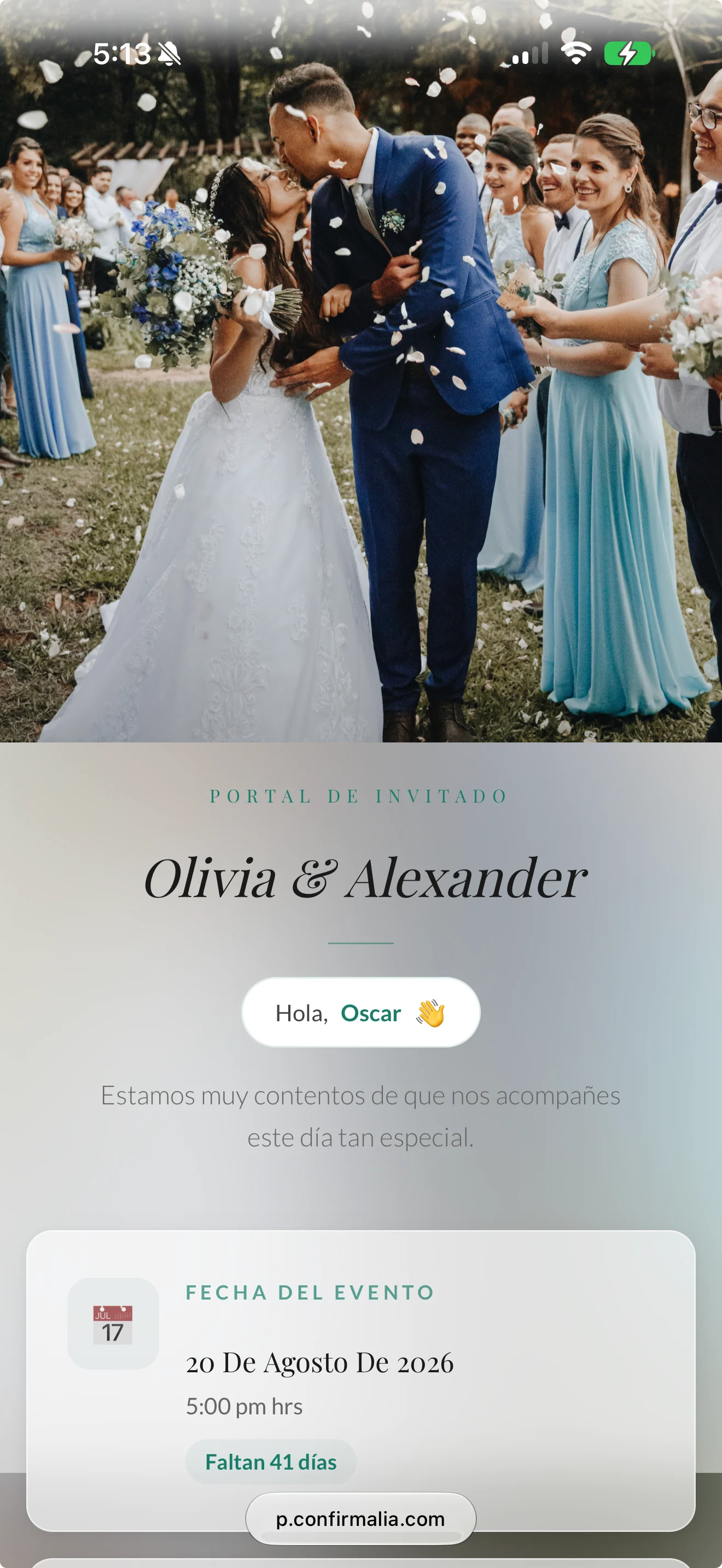
Date, time, address with map, dress code, itinerary, and useful links on a single page.
Every guest gets their own link with everything they need to know: when, where, what to wear, and how to RSVP. Nothing to download, no accounts to create.
Date, map, itinerary, RSVP, album, and entry QR.
No more answering what time it starts or how to get there a hundred times. The answer is already in their link.
Date, time, address with map, dress code, itinerary, and useful links on a single page.
Every guest sees their name, their RSVP and, if you want, their table and party size.
From there they RSVP, answer your questions, upload photos to the album, and show their QR at the door.
Everyone sees the same design, but every link is personal.
Choose the color, font, cover, and photos for your event.
Venue, itinerary, dress code, links to the hotel or gift registry, gallery, and video.
The link goes out with the WhatsApp invitation. If you change something, guests see the new version.
What your guests are looking for, right where they expect it.
The days left until your event, always in sight.
The address with a map and a button to open the route on their phone.
Guests confirm or let you know they can’t make it, and can change their mind before the deadline.
Their check-in QR code, ready to show or save to Apple Wallet.
Yes. The design is the same for everyone, but each link shows that guest’s name, RSVP, and QR.
No. They open their link and that’s it, with no passwords or downloads.
Yes. Edit anything you need, and guests will see the new version the next time they open their link.
Yes. You decide whether guests can RSVP there and whether they see their table, the album, or their entry QR.
All your event details in a personal link that’s always up to date.